
Map editing
Maps can be exported to Godot, edited there, and written back into the game. This is experimental: it has been tested on synthetic maps and repacked from real ones. You can move, rotate, scale, duplicate and delete what is already in a map, and change its properties; a new actor is always a copy of one in the map.
In the launcher
- Install Godot 4.7 or newer. The launcher usually finds it; otherwise set it under Settings.
- Open Map Studio, pick a map and click Export.
- Click Edit in Godot. Move, rotate and scale things with Godot's tools, or change their properties in the T3 Map dock (below the Inspector). Duplicate an actor (Ctrl+D) to add another like it, or delete one. Then save the scene (Ctrl+S): that also saves the T3 edits (the dock's Save T3 edits button does the same). Nodes you add some other way are not T3 actors and are not saved.
- Back in Map Studio, click Repack, then Install, and play the map. Install repacks first if the edits changed since the last repack.
- Restore original puts the unmodified map back. Every original map is backed up once, before it is first replaced.
Your edits live in <Level>.edits.json, and exporting a map again keeps them: the new export shows the map with your edits applied. So when an update of the tools changes how maps are exported, Map Studio exports an outdated map again by itself when you open it (or all of them at once with Update all now), and you carry on where you left off.
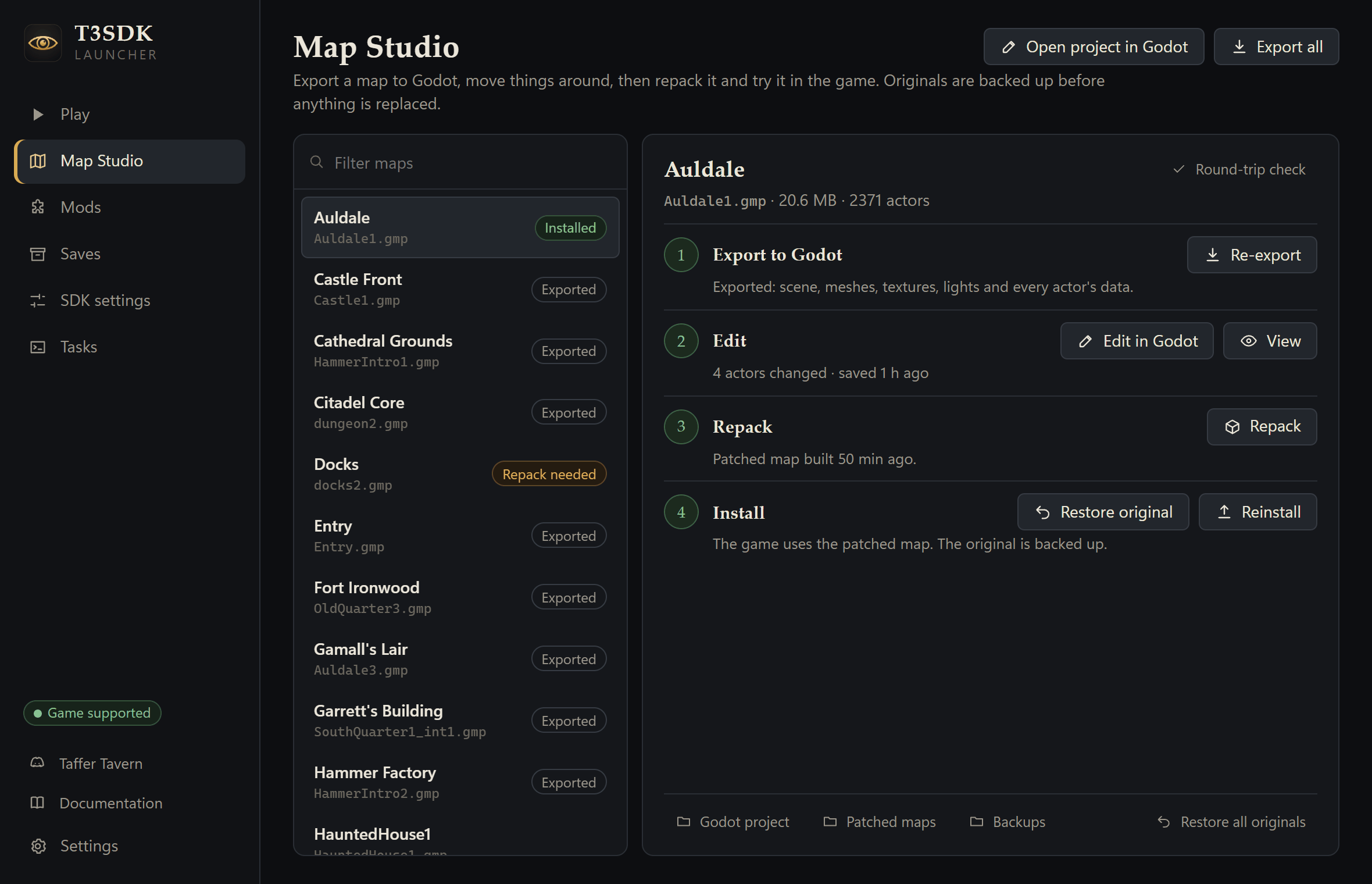
View opens a map in a fly-through viewer instead. The same steps are in the README's Edit maps section.
On the command line
The launcher runs the tools in tools/assets/, which also work by hand from a checkout:
python tools/assets/t3map.py Inn                  # export one map (or --all), with its saved edits
godot --path build/assets/godot                   # the viewer
godot --editor --path build/assets/godot          # the editor, with the T3 Map dock
python tools/assets/t3pack.py apply build/assets/godot/Inn/Inn.edits.json   # a patched copy of the map
python tools/assets/t3pack.py install build/assets/patched/Inn.gmp          # backs up the original once
python tools/assets/t3pack.py restore Inn         # the original back
Assets and formats explains the export (section 6, including the viewer and the map editor plugin), how edits get back into the game (section 8), and every tool's options (section 10).
Sharing maps
A patched map is the game's own map with your changes in it, so don't share it: what the tools produce from your copy is for your own modding. Maps you built yourself, for example with the official editor T3Ed, can go into a content package under files/Content/T3/Maps/.